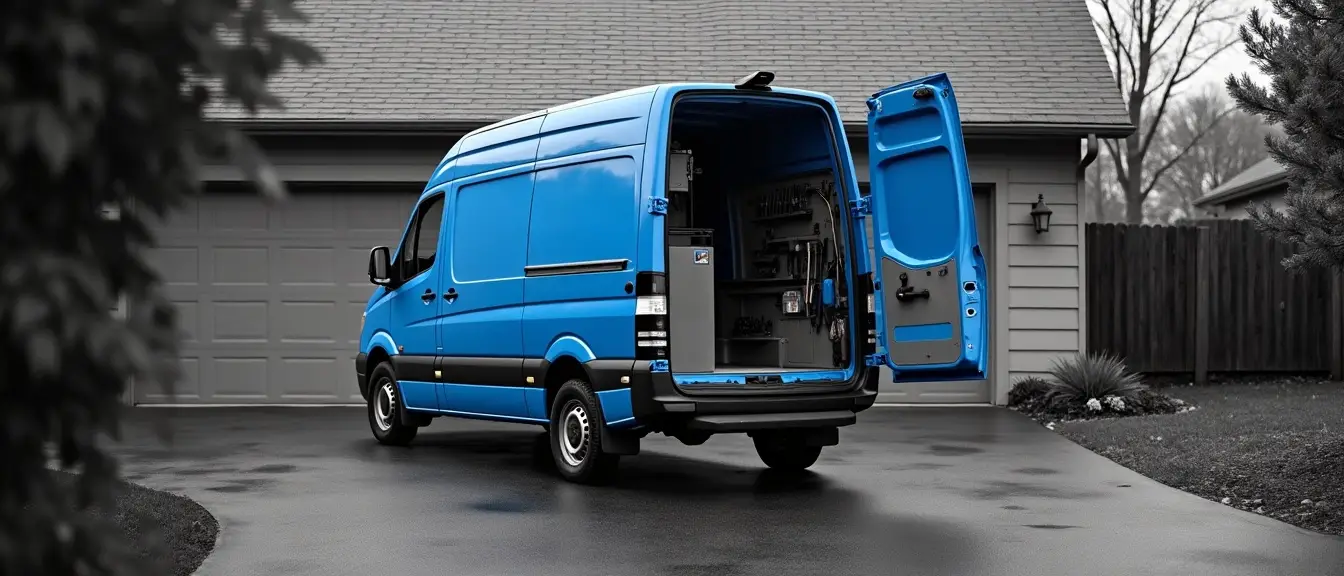
A homeowner with water coming through the ceiling calls three plumbers. The one who picks up gets the job. That is the entire competitive dynamic in most trades, and it is why the missed call — not your pricing, not your marketing, not your star rating — is the largest recoverable leak in a home service business.
An AI agent is software that answers that call, or texts back seconds after the missed one, asks the questions your office manager would ask, and puts a real appointment on a real calendar. It works at 6 a.m., at 10 p.m., and while every tech you have is under a house. The pattern holds across HVAC, plumbing, electrical services, roofing, pest control, landscaping, cleaning, and most small construction outfits that run on scheduled visits.
Below: the eight workflows worth automating, ranked by payback; what data each needs to fire; where a human has to stay in the loop; and what it costs.
Why the missed call is the biggest leak in home service businesses
Home service demand is unplanned. A furnace dies, a breaker panel starts buzzing, wasps move into a soffit. The homeowner is not shopping — they are solving an emergency, and they work down the search results until somebody answers. If you are the second call and the first one picked up, you never existed.
That changes what automation is worth here. Where leads arrive as web forms and get worked over several days, response speed is a nice-to-have. In the trades, speed is the sale. Every hour of a working day your techs are in crawl spaces or driving between stops, and whoever runs your office is already on another line. Home service calls that hit voicemail in those windows are demand you already paid to generate, walking to a competitor.
The gain is not abstract operational efficiency. It is a specific job, on a specific day, that you would otherwise have lost. And you do not need anyone's survey to size it: pull your own call log for last month, filter to inbound calls under fifteen seconds, and you are looking at the number that matters.
What missed-call text-back actually does
The mechanism is simple, and it is the highest-value automation available to a trade business. Your line rings. Nobody answers within a set number of rings. The instant that call ends unanswered, an SMS goes to the number: a real greeting, your company name, and one question — what is going on, and what is the address. The homeowner is still holding the phone. They reply. You are in a live text thread instead of a voicemail box nobody checks.
The AI part is what happens next. A scripted auto-reply stops at "we'll call you back." An AI agent reads the answer, works out whether this is an emergency or routine, asks the two or three follow-ups a good dispatcher would ask, routes based on service type, checks the address against your service area, and offers real appointment windows. What reaches your inbox is a booked job or a qualified callback, not a phone number.
What it needs: a business number that can send and receive SMS, your service area boundaries, your hours, and a calendar it can read. Consent is the cleanest kind there is — you are texting somebody who called you thirty seconds ago.
After-hours coverage and 24/7 service without a call center
Emergency trades lose money between 5 p.m. and 8 a.m., not because nobody calls but because the person who calls at 10 p.m. with a burst pipe has called somebody else by 10:04. True 24/7 service used to mean a rotating on-call phone or paying a call center by the minute to take messages.
An AI voice agent answers on the first ring at any hour. It holds a normal conversation, collects the address and the problem, decides from your written rules whether this qualifies as an after-hours emergency, and either books a morning slot or pages the on-call tech. The line between "wake somebody up" and "first thing tomorrow" — no water, no heat below freezing, gas smell, sparking panel — is yours, written once. It is never something the model improvises.
The honest limit: voice AI still gets tripped by background noise, by accents it has not been tuned for, and by callers who talk over it. Build a clean handoff for any call where it loses the thread twice — an immediate transfer, or a callback promise the system actually keeps.
AI agents versus traditional answering services
Live answering services solve the pickup problem and nothing after it. A human takes a message, it arrives as an email you read at 9 p.m., and somebody in your office still has to book the job tomorrow. You are paying per minute for a relay.
AI answering and support services sit inside your systems instead of beside them. The agent can check whether this address is an existing customer, see they are on a maintenance plan, read your open calendar, and write the appointment back into your job software while the caller is still talking. The cost curve differs too: an answering service scales with call volume, while an AI-powered layer is mostly flat with a small usage component, so the busiest week of a heat wave does not produce the biggest invoice.
Where a live service still wins: emotionally difficult calls, complicated commercial accounts, and any conversation where the caller needs to be talked down rather than routed. Plenty of shops run both — AI first, humans on overflow.
What an AI agent is, and how AI for home services differs from a chatbot
A chatbot answers a question. An agent completes a task. That is the whole distinction, and it explains why the last generation of website widgets did nothing for service pros like plumbers, roofers, and electricians — a box that says "how can I help?" and then emails you a transcript has moved the work, not done it.
An agent gets a goal (book qualified jobs), a set of tools it may use (read the calendar, create a customer, send an SMS, look up service history), and rules about what it must never do alone. It chooses which tool to call, in what order, and when to hand off. The AI capabilities that matter in the trades are not creative ones. They are understanding messy human input, pulling structured data out of it, and picking the right next action.
Generative AI, in plain terms
Generative artificial intelligence means models that compose new text rather than picking from a menu of canned replies. Most of these agents run on GPT-class models — generative pre-trained transformers. They are very good at reading "my AC is blowing warm and making a clicking noise, we're at 412 Oak, can anyone come today" and turning it into fields: service type, symptom, address, urgency, callback number.
They are also perfectly willing to be confidently wrong, which is why the guardrails further down exist. A model that invents a price or promises a two-hour arrival window costs you more than the missed call did.
You are probably already using AI
If your phone transcribes voicemail, your email suggests replies, or your bookkeeping software categorizes transactions, you are already using AI — you just did not buy it under that name. The only thing that changes here is permission. The software is allowed to act rather than suggest: send the text, hold the slot, draft the invoice.
Eight jobs to use AI for in a home service business
Ranked by payback, not by how good the demo looks. The first two hold nearly all of the recoverable money. Two things make AI worth paying for across services like drain clearing, panel upgrades, and quarterly pest treatment: it fires at the exact moment a human was going to be busy, and it does not get tired at 9 p.m.
1. Answering and capturing every inbound call
Covered above, and it stays at number one for any shop that has ever let a call ring out. If you only do one thing on this list, do this one and stop.
2. Quote and estimate follow-up
The second biggest leak, and the one owners consistently underestimate. You sent a $6,400 estimate for a panel upgrade on Tuesday. The homeowner is collecting two more quotes and deciding on Sunday. If nobody touches that estimate in between, you are betting on being cheapest, because price is the only thing left in their memory by then.
An agent watches estimate status in your system and fires on a schedule you set: a same-day text confirming it arrived and offering to walk through it, a follow-up two or three days later answering the questions people actually have at that stage (how long will it take, do you pull the permit, is there financing), and a last check before the quote expires. When the homeowner replies with a question, the agent answers from your own written material and books the call. When they reply with a negotiation, it stops and hands you the thread.
What it needs: estimate records with a status and a sent date, a mobile number, and a short internal knowledge base of your standard answers. What it must never do: change a number.
3. AI appointment booking and dispatch scheduling
AI appointment booking is the part customers touch — offering real windows, confirming, rescheduling when a kid gets sick, and filling the hole a cancellation leaves by texting the two nearest people on your waitlist. Safe to automate, because the constraint is arithmetic: who is free, what skill does this job require, how far is the drive.
Dispatch is a different animal. Pulling a tech off a maintenance visit to run an emergency, or sending your best commercial hand across town, is a judgment about people, money, and relationships. AI can help by ranking options — this tech is closest, holds the right certification, has the part in stock, clears their current job at 2:40 — and a dispatcher chooses. The logistics math belongs to the machine. The decision does not.
Around either one, AI can automatically run the confirmation layer: a reminder the night before, a day-of window, and a rebooking link that does not require anybody to answer a phone.
4. Job status updates while the tech is en route
Most complaints in home services are not about the work. They are about not knowing. A homeowner who took a day off and has heard nothing by 1 p.m. is angry before anyone arrives. That is pure friction, and you can delete it without changing how you operate.
Tie the update to an event that already exists in your software rather than to a person remembering: status flips to en route, an SMS goes out with the tech's first name, a photo if you have one, and an honest ETA. Running late triggers its own message before the customer has to ask. This is where AI in customer service earns its place — small, timely, accurate messages do more for customer engagement and review scores than most of what shops spend on advertising.
5. Invoicing and payment follow-up
Every unpaid invoice is your money financing somebody else's kitchen remodel. Chasing it is unpleasant, which is exactly why it gets skipped.
An agent can assemble the invoice from the completed job record — line items, parts used, labor hours off the timestamps — and route it to a person for a fast approval before it goes out. After that it runs the ladder on its own: a polite reminder at day three, a firmer one at day fourteen, a final notice before collections, each carrying a payment link. It stops the second payment posts, and it stops the second the customer disputes anything, because an argument about a bill needs a human.
Keep pricing out of the model's hands entirely. It assembles what was recorded. It does not decide what anything costs.
6. Review requests after job completion
Reviews decide who gets the next call, and the request has a short half-life. A homeowner will leave one in the hour after a good visit and essentially never after a week. Automate the timing and you win on timing alone.
The job closes, a short text goes out thanking them by name and referencing the actual work done, with a direct link to your Google Business Profile. Two refinements matter: never send after a job that went badly (gate it on tech notes or a one-tap satisfaction question), and vary the wording so your review page does not read like a form letter. This is also the least controversial use of AI for marketing in the trades — asking satisfied customers at the right moment, not manufacturing content.
7. Recurring and seasonal maintenance reminders based on service history
Maintenance plans are the most profitable revenue in HVAC — heating, ventilation, and air conditioning — as well as in pest control and plumbing, and they leak almost entirely through forgetting. An agent reads your customer records and fires reminders based on service history: the spring tune-up for everyone whose last one was eleven months ago, the quarterly treatment, the water heater flush, the gutter clean before leaf drop.
AI can predict when a visit is genuinely due more usefully than a blanket seasonal blast, because it can weigh install date, equipment age, last service date, and what the tech wrote down last visit. That is a calendar calculation with judgment layered on it, not a crystal ball. It is also the closest thing to free revenue you have, since these people already know you and have already paid you once. The same query gives you a reactivation list: customers who have not booked in eighteen months, sorted by what they are probably due for.
8. Technician paperwork capture from the field
Techs hate paperwork and are bad at it, which is a data problem before it is a discipline problem. The fix is to let the tech talk. At the end of a job they record thirty seconds of voice: what was wrong, what got replaced, what they recommend next. AI tools like speech transcription and text classification turn that into a structured job note, a parts-used list that decrements truck stock, a flagged recommendation that becomes a follow-up estimate, and a customer-safe summary.
The knock-on effect is larger than the minutes saved. Every automation above — the follow-up, the maintenance reminder, the review request, the analytics you use to decide anything — is only as good as what the tech recorded. Fixing capture at the source is the least exciting item on this list and the one that makes the rest work.
Where a human has to stay in the loop
Three categories, and they are not negotiable.
Price commitments. Any number that becomes a promise — a quote, a change order, a discount, a waived trip fee — passes through a person. Models are fluent enough to sound authoritative about a figure they invented, and a homeowner who was told $450 in a text thread will hold you to $450. An agent may retrieve prices from your price book and present them as written. It may not compose them.
Safety judgments. Gas smell, exposed wiring, standing water near a panel, carbon monoxide, structural damage. The agent's only job on those calls is to recognize the trigger, deliver the standard safety instruction you wrote and approved, and escalate to a human immediately. It never diagnoses, and it never tells a homeowner to touch anything.
Dispatch decisions. Rank, do not decide. The same rule covers anything that changes a customer's day without asking them, such as moving a confirmed appointment.
Build the loop so approval is one tap, not a login. If reviewing the agent's output takes longer than doing the task, your team will start approving blindly inside a week, and you will have automated your mistakes at scale.
Integrating with the field service management software you already run
You are not replacing your field service management system. The agent sits on top of it, and the integration question reduces to whether it can read and write four things: customers, jobs, the schedule, and estimates or invoices.
What integration actually requires
At the category level: API or webhook access on your current plan (frequently gated to higher tiers, so confirm before you scope anything), a way to be notified when a record changes rather than polling all day, and a decision about which system is the source of truth. Pick one and mean it. Two systems that both believe they own the calendar will double-book a Saturday.
Where a platform has no usable API, the fallback is unglamorous but effective: run the agent on the communication layer — phone, SMS, email, online chat — and have it produce clean structured output that a person pastes in, or that a light middle layer syncs on a schedule. You lose real-time. You keep most of the value.
Your current software may already have AI capabilities
Most established field service platforms have shipped some form of AI — call answering, note summarizing, scheduling assistance. Try what you already pay for before building anything, and judge it on one question: does it complete the task inside your data, or does it hand you a suggestion you still have to act on?
Built-in features are worth using where they fit your business needs. Custom builds earn their keep in two situations: when the workflow is specific to how you actually run — your emergency criteria, your maintenance plan tiers, your commercial accounts — or when the work spans systems that do not talk to each other. AI tools designed specifically for the trades are a real category now, and they usually beat general-purpose assistants as a starting point.
Check your CRM too. Shops running separate customer relationship management and field service tools have the most to gain and the most wiring to do, because customer history and job history live in different places.
The real cost of AI for a home service business
Three separate line items, and vendors love to blur them together.
Off-the-shelf tools. Per-seat or per-month subscriptions for one function — an answering product, a review product, a scheduling add-on. Fastest to switch on, cheapest to test, and the right first move for most shops. The ceiling is that you get their workflow, not yours.
Custom builds. At AutomateNexus, builds start at $7,500, a typical build runs about 30 days, and an MVP lands in four to eight weeks. That is the range where the agent is shaped around your rules and your systems instead of a template.
Model usage. The line people miscalculate in both directions. The actual AI model cost — the API calls to OpenAI or Anthropic — typically runs $30 to $150 a month for a business this size. We work bring-your-own-key: you hold your own provider account and pay the provider directly at their published rates, with no markup from us. Treat it as a utility bill, not a software license.
Two different audits exist here and they are not the same thing. The audit at /free-audit is genuinely free — a self-serve questionnaire that takes about three minutes and returns an automation health score, an estimate of what manual work is costing you per year, and a ranked list of quick wins. No call, no cost. If you want the plan before the build, the automation audit is free and ends in a written plan with a fixed price. Start with the free one.
Questions home service owners actually ask
The five that come up in nearly every first conversation.
Will an AI agent make my business sound like a robot?
It will if you deploy it badly. The tells are latency, over-explaining, and refusing to admit it is software. Fix all three: keep replies short, have it say plainly that it is an assistant when asked, and give it a fast exit to a human. A homeowner in a real emergency cares about being handled, not about who handled them — but nobody forgives being trapped in a loop. Design the escape hatch first, not last.
Is this going to replace my office manager?
In a small shop, no. It removes the parts of that job crowding out the parts that need a person. Your office manager stops retyping voicemails and starts handling the upset customer, the commercial account, the tech who needs a part sourced by noon. The skill that gains value is judgment, and there is no version of this where you have less of that to do.
Is this only worth it if I run twenty trucks?
Usually the opposite. A two-truck shop has exactly one person answering the phone, and that person is also ordering parts and running payroll, so the coverage gap is total. The scale argument is about implementation cost, not value — which is why a small shop's first move should be a single off-the-shelf missed-call tool, not a custom build.
How do I know it handled the call correctly?
Read the transcripts for the first two weeks, all of them. Every call and thread should be logged and reviewable, and your analytics should answer three questions: how many inbound conversations did it handle, how many became booked jobs, and how many needed a human to rescue them. A vendor who cannot show you those three numbers has answered a different question — about the vendor.
What does an AI agent need from my business to work?
Less than you would think, but all of it has to be real. A phone number it can receive and text from, a calendar it can read and write, a customer list with mobile numbers, your service area, your hours and after-hours criteria, your price book if quoting is in scope, and a page or two of written answers to your twenty most common customer questions. That last item is the one everybody skips, and it decides whether the agent sounds like your company or like a generic assistant.
How to start implementing AI without breaking what works
AI will not transform your home service business in a quarter, and anyone promising that is selling the demo rather than the result. What AI agents deliver is narrower and more durable: specific leaks, closed one at a time, permanently.
The sequence that works is boring on purpose. Pick the single workflow with the most obvious money in it — for nearly every shop that is the missed call — write down the number it starts at, and run it for thirty days with a human reading every transcript. Only when that one has become uninteresting do you add the next. Shops that automate booking, follow-up, invoicing, and reviews in the same month end up trusting none of them.
Choose by pain, not by capability. The way home service businesses most often get this wrong is starting with whatever demoed best instead of the thing costing them money every single week. If you are not certain which one is yours, the free audit at /free-audit will rank it — about three minutes, an automation health score, an annual cost for your manual work, and a shortlist of where to start. No call attached, and no cost.