
The workflow in one line: the moment someone becomes a customer, the automation sets up their accounts, kicks off a welcome sequence, creates the internal tasks your team needs, and nudges the customer through the steps that get them to value — all without anyone remembering to start it. Onboarding is where retention is won or lost: a customer who activates in the first days stays, and one who drifts churns. This workflow makes great onboarding automatic and consistent, which is exactly what a busy team can't guarantee by hand. Here's the exact build.
The problem it solves
The first days after a purchase decide the relationship. A customer who is welcomed, set up quickly, and guided to their first success feels good about the decision and sticks around; one who buys and then hears nothing, or has to figure everything out alone, quietly disengages and becomes a churn statistic. The cruel part is that good onboarding is entirely doable — it's just a series of timely, consistent touches — and it fails not from lack of care but from lack of capacity: a growing team can't reliably hand-onboard every new customer with the same quality. Onboarding is a classic first build for the reasons set out in our guide to workflow automation — high consequence, low frequency, and almost entirely rule-based.
This workflow guarantees the quality by removing the reliance on memory. Every new customer gets the same excellent onboarding — the welcome, the setup, the guidance, the check-ins — delivered on schedule whether you signed one customer this week or fifty. It also creates the internal tasks so your team knows exactly what to do and when, turning onboarding from an ad-hoc scramble into a repeatable system. The payoff is higher activation, better retention, and a professional first impression, all on autopilot.
The build, node by node
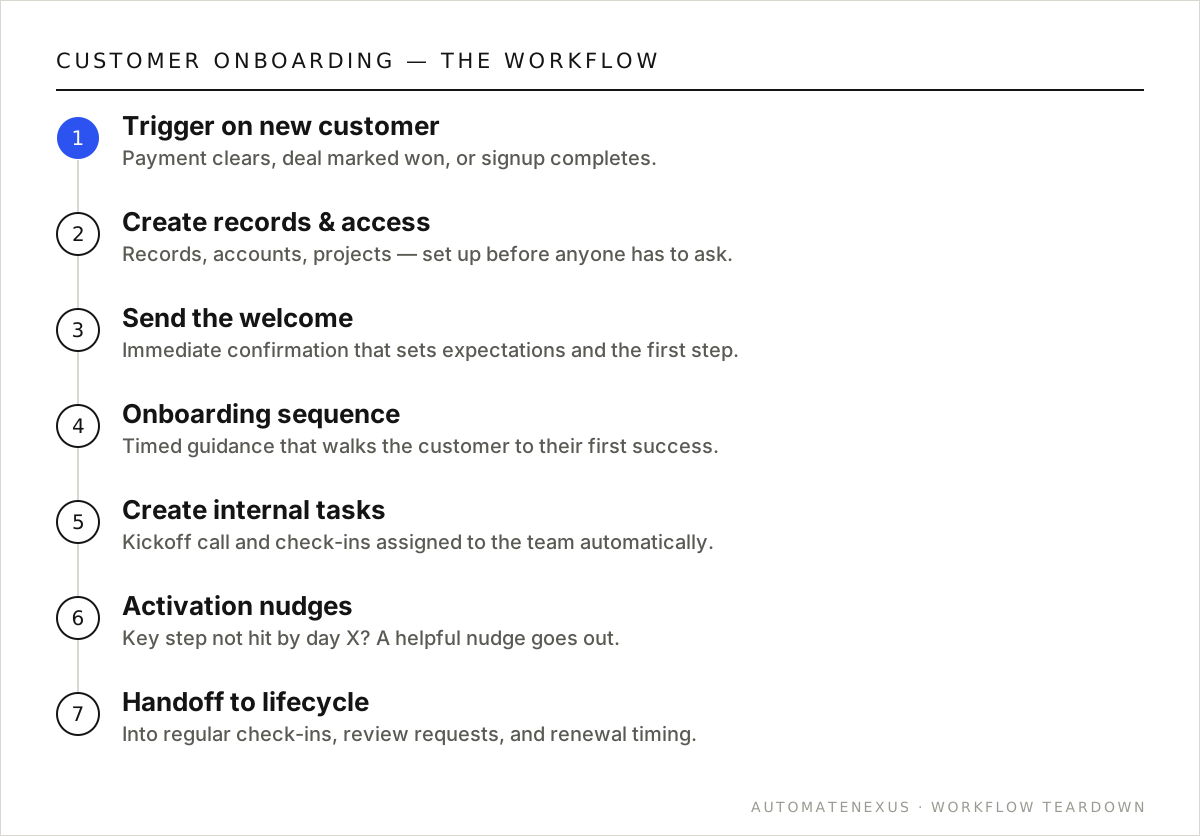
Here's the exact workflow. It's a handful of nodes, runs for pennies on a per-run engine like n8n, and connects whatever tools you already use:
| Step | What it does |
|---|---|
| 1. Trigger on new customer | Fire when someone converts — a payment clears, a deal is marked won, or a signup completes. Usually a webhook from your payment processor or a CRM status change. |
| 2. Create the records & accounts | Set up whatever the customer needs — their record in your systems, any accounts or access, a project or folder — so nothing waits on manual setup. |
| 3. Send the welcome | An immediate, warm welcome message that confirms the purchase, sets expectations, and points to the first step. First impressions are made in minutes. |
| 4. Start the onboarding sequence | A timed series of messages that guides the customer through setup and to their first success — spaced so it helps without overwhelming. |
| 5. Create internal tasks | Assign the team the human steps — a kickoff call, a setup check, a personal check-in — so the people-parts of onboarding actually happen. |
| 6. Activation nudges | Watch for the key activation step (first login, first use, first result). If the customer hasn't hit it by a certain point, send a helpful nudge — this is where churn is prevented. |
| 7. Handoff to ongoing | Once onboarded, transition the customer into your regular lifecycle (check-ins, review requests, upsell timing) so the relationship keeps developing. |
Variations worth building
- Segment by plan or product: different customers get different onboarding paths — a self-serve tier gets more automation, a premium tier gets more human touchpoints triggered as tasks.
- Milestone-based, not just time-based: advance the sequence when the customer completes a step, not just on a clock, so it adapts to their pace.
- Personal video/message from the owner: automate the trigger but keep a human touch — a task for the owner to send a quick personal note at the right moment.
- Onboarding health score: track how far each customer got and flag at-risk ones for a human to reach out before they churn.
Common mistakes to avoid
- Firing and forgetting — onboarding isn't just a welcome email; it's guidance to activation. Build the nudges that get customers to their first success, not just a greeting.
- Overwhelming the customer — too many messages too fast is as bad as silence. Space the sequence to help, not flood.
- Automating away all human contact — the highest-value onboarding blends automation (timing, consistency) with human touchpoints (a real call). Create tasks for the human parts.
- No activation trigger — without watching for the key step, you can't catch a customer who's drifting. Instrument activation and nudge on it.
The payoff, quantified
Retention is where the real money in most businesses lives, and onboarding is the single biggest lever on it. It costs far more to acquire a customer than to keep one, so every customer who churns in the first weeks — often because they never activated — represents wasted acquisition spend and lost lifetime value. A customer who is onboarded well and reaches their first success early stays dramatically longer, which means better onboarding doesn't just improve one metric; it multiplies the return on all your marketing and sales spend by keeping more of what they bring in.
Because the workflow guarantees consistent, high-quality onboarding for every customer regardless of team capacity, it protects that retention at scale. The alternative — hoping a busy team hand-onboards everyone equally well — inevitably breaks down as you grow, exactly when consistency matters most. Automating onboarding is how a growing business keeps its early-days magic (the attentive, guided welcome) even as volume climbs, turning a fragile manual process into a reliable retention engine that compounds customer lifetime value.
How long should an onboarding sequence be?
Long enough to guide the customer to their first meaningful success, which varies by product — for a simple service it might be days; for something with a learning curve, a few weeks. The right measure isn't calendar length but reaching activation. Build the sequence around the steps that lead to first value, and end it (handing off to your regular lifecycle) once the customer is genuinely up and running.
Can onboarding automation integrate with the tools I already use?
Yes — it connects to your CRM, payment processor, email/SMS, project or account systems, and whatever else your onboarding touches. The workflow orchestrates across all of them: a payment in one tool triggers record creation in another, messages from a third, and tasks in a fourth. That cross-tool orchestration is exactly what makes automated onboarding feel clean to the customer.
FAQ
Why is onboarding automation so important for retention?
Because the first days decide whether a customer activates and stays or drifts and churns — and activation is a series of timely, consistent touches that a busy team can't reliably deliver by hand. Automating onboarding guarantees every customer gets the guidance that leads to their first success, which is the strongest predictor of retention. It's cheaper to keep a customer than to win one, and onboarding is where you keep them.
Doesn't automated onboarding feel cold?
Only if you automate away the humans entirely. The best onboarding automates the timing and consistency — the welcome, the setup, the reminders — while creating tasks for the genuine human moments (a kickoff call, a personal note). Done that way, the customer experiences a smooth, attentive process, not a cold one. The automation ensures the touches happen; the humans make them warm.
What should trigger the onboarding workflow?
The moment of becoming a customer — a payment clearing, a deal marked won, or a signup completing. Typically a webhook from your payment processor or a status change in your CRM kicks it off. The key is that it fires automatically at conversion, so onboarding starts instantly without anyone remembering to begin it.
Can this work for a service business, not just software?
Absolutely — the pattern is universal. For a service business, onboarding might mean confirming the engagement, scheduling the kickoff, collecting what you need from the client, and setting expectations, with team tasks for the human steps. Any business where a new customer needs to be welcomed, set up, and guided benefits from automating the sequence.
Build it yourself, or have it built
This onboarding workflow is genuinely buildable yourself if you're comfortable in a no-code automation tool. The structure above is the whole blueprint — the work is connecting each step to your specific accounts and testing the edge cases (what happens with bad data, a failed API call, an unusual input). If you enjoy that and have the time, start with our how-to-automate guide and the n8n webhooks guide, build it on self-hosted n8n so you own it, and you'll have a working automation for the price of a small server.
If you'd rather it just work — built correctly, with the error handling and edge cases handled, wired into your exact stack, and owned by you outright — that's precisely what we do. We build these workflows as one-time projects on infrastructure you keep, so there's no monthly platform fee and no vendor lock-in: you get the system and the keys. Either way, the important thing is to build it — a onboarding process running automatically, reliably, and consistently is worth far more than the same work done by hand when someone remembers. Ship it, measure the impact, and let the payback fund the next automation on your list.
Want flawless onboarding on autopilot? A free audit maps it to how you actually bring customers on. Related: review requests and instant lead follow-up.