
The workflow in one line: when a job is completed or an order is delivered, the automation waits for the perfect moment, then texts or emails the customer a one-tap link to leave a review — and follows up once if they don't. Reviews drive local ranking, buyer trust, and conversion, and the only reason most businesses don't have more of them is simple: they forget to ask. This workflow never forgets, and it asks at the exact moment the customer is happiest. Here's the exact build — one of the highest-ROI, lowest-effort automations there is.
The problem it solves
Reviews are one of the most valuable assets a local or service business can accumulate: they lift your ranking in local search, they're the first thing prospects read before choosing you, and more of them directly raises conversion. Yet the gap between "we do great work" and "we have lots of reviews" is almost always just the ask — a busy team finishes a job, moves to the next, and never sends the request. The customer would happily have left a glowing review; nobody asked at the right time. The timing logic here is a condition branch in automation terms; if that phrasing is unfamiliar, start with the workflow automation fundamentals.
This workflow closes that gap permanently and does it with better timing than a human would. It fires the ask right when satisfaction peaks — job just completed, product just delivered — via a channel with high open rates (text), with a link that makes leaving a review a single tap. Consistency plus perfect timing plus zero friction is exactly the formula that turns a trickle of reviews into a steady stream, compounding your reputation and your local visibility month after month.
The build, node by node
Here's the exact workflow. It's a handful of nodes, runs for pennies on a per-run engine like n8n, and connects whatever tools you already use:
| Step | What it does |
|---|---|
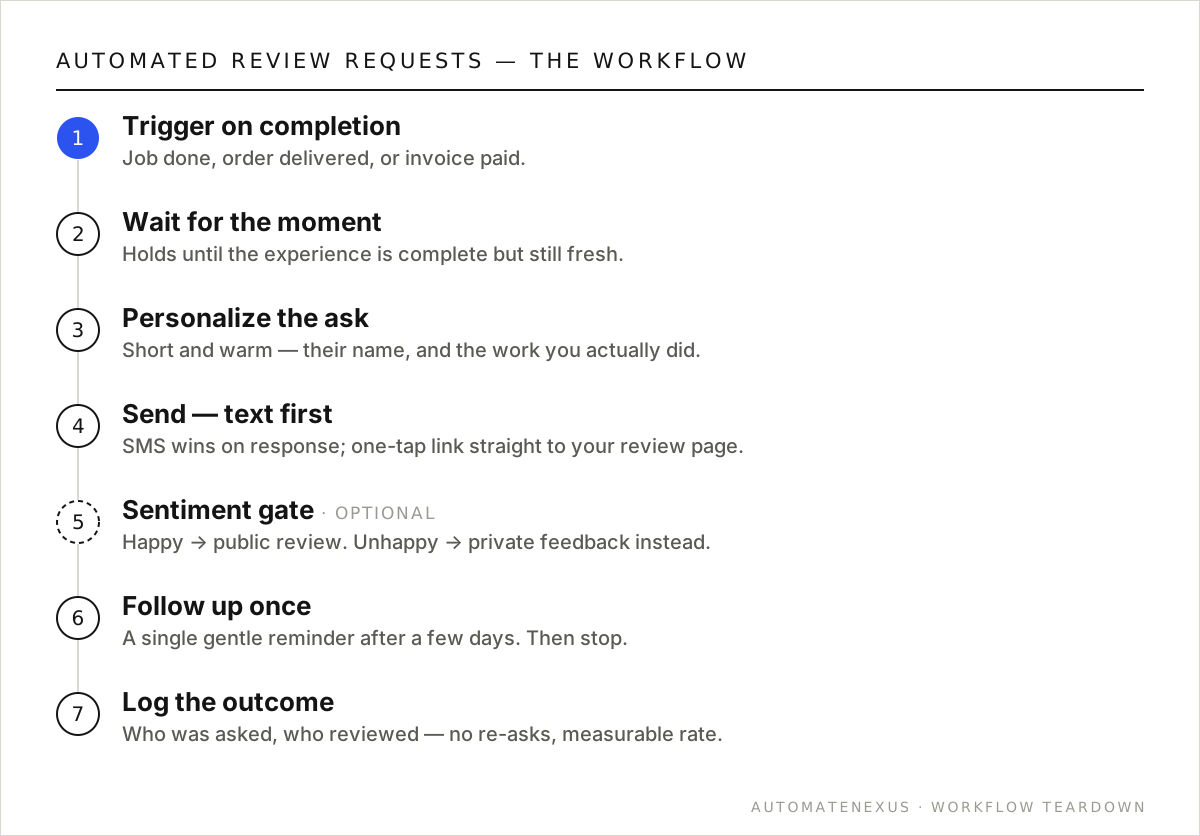
| 1. Trigger on completion | A trigger fires when a job is marked complete, an order ships/delivers, or an invoice is paid — whatever signals the customer has had the positive experience. Usually a CRM status change or a webhook. |
| 2. Wait for the right moment | A Wait node holds for the optimal interval — long enough that the experience is complete, soon enough that it's fresh. For a service, often a few hours to a day after completion. |
| 3. Personalize the ask | Build a short, warm message using the customer's name and a reference to what you did, so it feels human, not mass-blasted. |
| 4. Send via the best channel | Text (SMS) usually wins on open and response rate, with email as a fallback. Include a one-tap link straight to your review page (Google, etc.). |
| 5. (Optional) Sentiment gate | Ask a quick 'how did we do?' first; route happy customers to the public review link and unhappy ones to a private feedback path so you can make it right — turning a would-be bad review into a service recovery. |
| 6. Follow up once | If no review after a few days, a single gentle reminder recovers a meaningful share of non-responders. Then stop — one follow-up, never nagging. |
| 7. Log the outcome | Record who was asked and who reviewed, so you don't re-ask and can measure your review rate over time. |
Variations worth building
- Sentiment routing (recommended): the quick pre-check that sends happy customers public and unhappy ones to private feedback protects your rating while surfacing problems you can fix.
- Incentive-free by design: most review platforms prohibit paying for reviews — this workflow relies on timing and ease, not incentives, which keeps you compliant.
- Multi-platform: rotate or choose the review platform that matters most for your business (Google for local, industry-specific sites for others).
- Team leaderboard: feed review outcomes into a dashboard so the team sees the reputation they're building — a nice morale and quality loop.
Common mistakes to avoid
- Bad timing — asking too early (before the experience is complete) or too late (when it's faded) both hurt response. Tune the Wait to your business.
- Making it hard — if leaving a review takes more than a tap or two, most people won't. Link straight to the review form, pre-filled where possible.
- No sentiment gate — blasting every customer to a public review page invites the occasional unhappy one to air it publicly. Route feelings first.
- Nagging — more than one follow-up annoys people and can backfire. One reminder, then let it go.
The payoff, quantified
Reviews compound in a way few marketing investments do. More reviews lift your ranking in local search, which brings more prospects; a higher rating raises the conversion of those prospects; and the volume itself signals trust that closes deals. Each new review makes the next customer more likely to choose you — a flywheel that, once spinning, keeps producing returns from work you already did. And the input cost is essentially zero: the automation runs on completion events you're already generating.
Contrast that with the alternative — paid advertising — which stops working the moment you stop paying. Reviews are an owned, permanent asset that keeps compounding. For a local or service business, systematically capturing the reviews your good work already earns is one of the highest-return, lowest-cost growth activities available, and it's almost entirely automatable. The businesses dominating their local market usually aren't doing better work than their competitors; they're just capturing far more of the reviews that work deserves.
Which review platform should I focus on?
For most local and service businesses, Google reviews carry the most weight — they feed local search ranking and are the first thing prospects see. Focus there first, then add industry-specific platforms that matter for your field. The workflow can target whichever platform you choose, and you can prioritize the one that most influences your buyers' decisions.
How do I keep review requests compliant with platform rules?
Automate the ask, never incentivize the review — paying for or rewarding reviews violates most platforms' policies. Rely on timing and ease instead, which this workflow does. A sentiment gate that routes unhappy customers to private feedback is a legitimate service-recovery practice as long as you're not deceptively hiding the ability to leave a public review. Keep it honest and timing-based and you stay compliant.
FAQ
When is the best time to ask for a review?
Right after the customer has had the positive experience but while it's still fresh — for most service businesses, a few hours to a day after the job is completed or the order delivered. The automation's Wait node lets you tune this precisely, and getting the timing right is one of the biggest drivers of response rate.
Is it against the rules to automate review requests?
Automating the ask is fine and extremely common — what platforms prohibit is paying for reviews or incentivizing them, and gating so only happy customers can review publicly in a way that's deceptive. This workflow relies on timing and ease, not incentives, and a well-built sentiment gate routes unhappy customers to private feedback (a legitimate service-recovery practice), which keeps you compliant.
How many more reviews will this actually generate?
It varies by business, but the lift is usually significant simply because the ask goes out consistently and at the right moment — the two things manual review-gathering fails at. Businesses that automate the request typically see their review volume climb steadily, which compounds into better local ranking and higher conversion over time.
What if a customer had a bad experience?
That's what the sentiment gate is for. A quick 'how did we do?' step routes happy customers to the public review link and unhappy ones to a private feedback channel, so you hear about the problem directly and can make it right — turning a potential public bad review into a recovered relationship. It's better for your rating and better for the customer.
Build it yourself, or have it built
This review requests workflow is genuinely buildable yourself if you're comfortable in a no-code automation tool. The structure above is the whole blueprint — the work is connecting each step to your specific accounts and testing the edge cases (what happens with bad data, a failed API call, an unusual input). If you enjoy that and have the time, start with our how-to-automate guide and the n8n webhooks guide, build it on self-hosted n8n so you own it, and you'll have a working automation for the price of a small server.
If you'd rather it just work — built correctly, with the error handling and edge cases handled, wired into your exact stack, and owned by you outright — that's precisely what we do. We build these workflows as one-time projects on infrastructure you keep, so there's no monthly platform fee and no vendor lock-in: you get the system and the keys. Either way, the important thing is to build it — a review requests process running automatically, reliably, and consistently is worth far more than the same work done by hand when someone remembers. Ship it, measure the impact, and let the payback fund the next automation on your list.
Want more reviews on autopilot? A free audit wires this to how your jobs actually close. Related: customer onboarding and the home-services playbook.