
The workflow in one line: on a schedule, the automation finds overdue invoices and sends the customer an escalating series of polite reminders with a one-click payment link — until they pay, at which point it stops. This is the automation that collects the money you're already owed without anyone on your team having the awkward "hey, about that invoice" conversation. Cash flow improves, the chasing gets done consistently, and your time goes to work that isn't nagging. Here's the exact build.
The problem it solves
Unpaid invoices are money you've earned sitting in someone else's bank account, and the reason they stay unpaid is rarely malice — it's that reminders are awkward to send and easy to forget. A busy owner or bookkeeper means well, but chasing every overdue invoice on the right cadence, every time, is exactly the kind of repetitive, uncomfortable task that slips. The result is cash flow that's worse than it should be and a pile of receivables that quietly ages. Chasing is a textbook candidate against the five-question filter for what to automate first: frequent, rule-based, and owned by one person who wants it fixed.
This workflow removes the awkwardness and the forgetting entirely. It watches your invoices, and the moment one is overdue it starts a professional, escalating reminder sequence — friendly at first, firmer as time passes — each with an easy way to pay right then. Because it's automated, it's consistent and unemotional: every customer gets the same fair, timely nudges, and you get paid faster without spending a minute or a shred of goodwill chasing.
The build, node by node
Here's the exact workflow. It's a handful of nodes, runs for pennies on a per-run engine like n8n, and connects whatever tools you already use:
| Step | What it does |
|---|---|
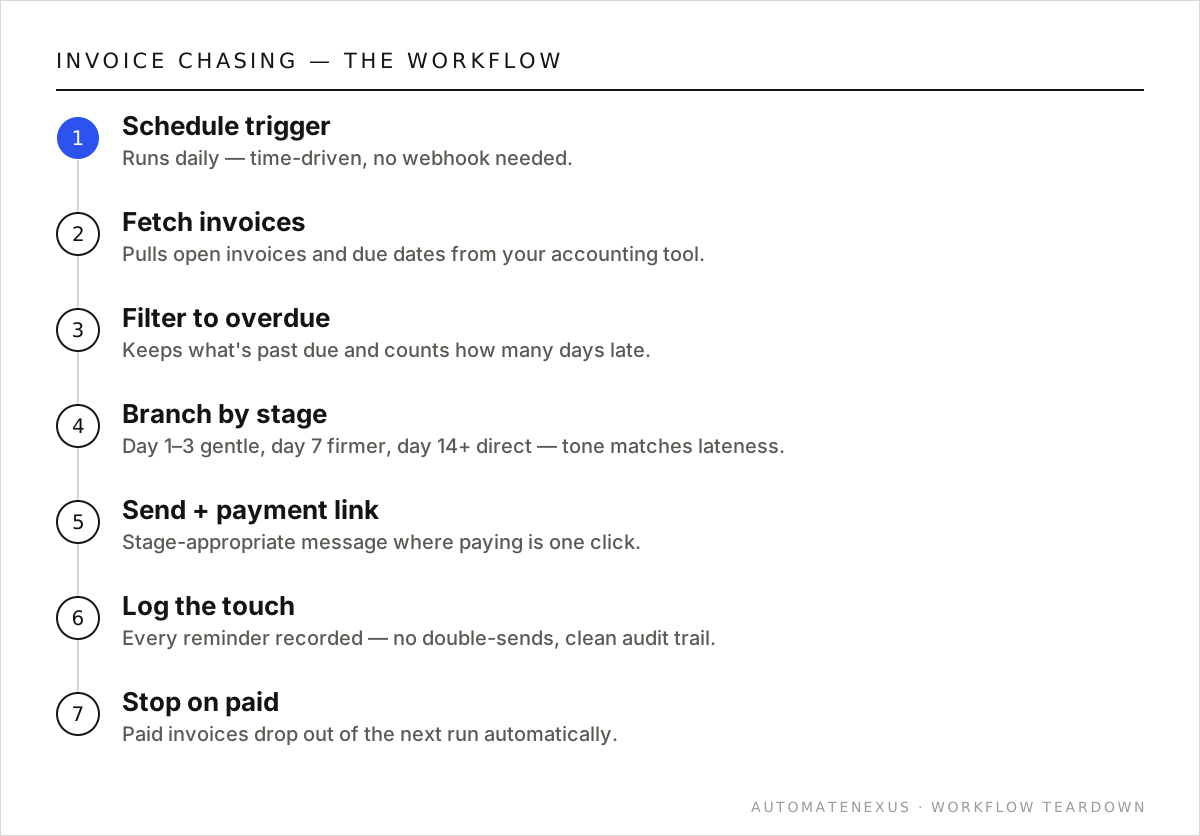
| 1. Schedule trigger | A Schedule node runs the workflow daily (or a few times a week) to check for anything newly overdue. No webhook needed — this one is time-driven. |
| 2. Fetch invoices | Query your accounting tool or database for open invoices and their due dates. Most accounting platforms expose this via API or a dedicated node; anything with an API works. |
| 3. Filter to overdue | An IF/Filter node keeps only invoices past their due date, and calculates how many days overdue each is — that number drives the escalation. |
| 4. Branch by escalation stage | A Switch node routes each overdue invoice by how late it is: a gentle nudge at day 1–3, a firmer reminder at day 7, a direct one at day 14+, and optionally a flag for human intervention beyond that. |
| 5. Send the reminder + payment link | Email (or SMS) the customer a stage-appropriate message that includes a direct payment link, so paying is one click, not a phone call. |
| 6. Log the touch | Record that a reminder went out and when, so the sequence doesn't double-send and you have a clean audit trail of what was sent. |
| 7. Stop on paid | Because step 2 only pulls open invoices, a paid invoice simply drops out of the next run — the chasing stops automatically the moment payment lands. No awkward reminder after they've paid. |
Variations worth building
- Pre-due reminder: send a friendly heads-up a few days before the due date — often the cheapest way to get paid on time is to remind before it's late.
- Escalation to a human: beyond a threshold (say 30 days), create a task for a person to make a call rather than sending another automated email.
- Early-pay incentive: the pre-due message can offer a small discount for paying early, improving cash flow further.
- Slack digest: a weekly summary of what's outstanding and what's been chased, so the team has visibility without logging into the accounting tool.
Common mistakes to avoid
- No stop-on-paid logic — the fastest way to annoy a good customer is to chase an invoice they already paid. Always pull only open invoices so paid ones drop out.
- One-tone reminders — a single templated message either starts too harsh or stays too soft. Escalate the tone by days-overdue.
- No payment link — every reminder should make paying trivially easy; a reminder that requires the customer to go dig up the invoice is a reminder that gets ignored.
- Double-sending — without logging touches, a misconfigured schedule can send the same reminder twice. Log every send and check before sending.
The payoff, quantified
Late payments are a silent tax on a business. Money you've earned but haven't collected can't be used to make payroll, buy inventory, or invest in growth — and the longer an invoice ages, the less likely it is to ever be paid. Even a modest improvement in how fast you collect has an outsized effect on cash flow, because it's your own money arriving sooner. For a business carrying tens of thousands in receivables at any time, shaving days off the average collection period is real, usable cash freed up continuously.
And the workflow costs almost nothing to run — it's a scheduled check and some messages. Against the value of improved cash flow and the hours of awkward manual chasing it eliminates, the ROI is immediate and ongoing. Perhaps the most underrated benefit is the goodwill it preserves: because the reminders are consistent, professional, and unemotional, you collect faster without the relationship strain that comes from a human finally losing patience and sending a testy email. You get paid sooner and keep the customer happy.
Will this work if I invoice through multiple systems?
Yes — the workflow can query more than one source. Whether your invoices live in one accounting platform or several tools, as long as each exposes the data via API, the automation can pull open invoices from all of them, apply consistent reminder logic, and give you one unified collections process. Consolidating the chase across systems is often a benefit in itself.
Can I customize the reminder messages and tone?
Completely — the messages are yours to write, and the escalation logic lets you change tone by how overdue an invoice is (gentle early, firmer later). You can also vary by customer relationship or invoice size. The automation controls the timing and consistency; you control the voice, so every reminder still sounds like your business.
FAQ
Isn't automated invoice chasing impersonal or rude?
Done right, it's more professional, not less. The messages are polite, fair, and consistent — every customer gets the same timely, reasonable nudges rather than a random, emotionally-charged chase when someone finally remembers. Most customers appreciate a clear reminder with an easy way to pay; the awkwardness you're avoiding is mostly on your side, and automation removes it.
What accounting tools does this work with?
Any accounting platform with an API — which is nearly all of them (QuickBooks, Xero, and others expose invoice data). n8n can connect via a dedicated node or the HTTP Request node. The workflow reads open invoices and their due dates, so as long as your tool exposes that, the automation works.
How much faster will I get paid?
It varies, but businesses that automate reminders typically see receivables age less and cash flow improve, simply because reminders go out consistently and on time instead of sporadically. The exact lift depends on your customers, but the mechanism is reliable: invoices that get timely, easy-to-act-on reminders get paid sooner than ones that don't.
Can it handle different reminder schedules per customer?
Yes — the logic is yours to define. You can set different cadences or tones by customer type, invoice size, or relationship (a big long-term client might get a gentler sequence than a one-off). The Switch node routes each invoice through whatever escalation rules you encode.
Build it yourself, or have it built
This invoice chasing workflow is genuinely buildable yourself if you're comfortable in a no-code automation tool. The structure above is the whole blueprint — the work is connecting each step to your specific accounts and testing the edge cases (what happens with bad data, a failed API call, an unusual input). If you enjoy that and have the time, start with our how-to-automate guide and the n8n webhooks guide, build it on self-hosted n8n so you own it, and you'll have a working automation for the price of a small server.
If you'd rather it just work — built correctly, with the error handling and edge cases handled, wired into your exact stack, and owned by you outright — that's precisely what we do. We build these workflows as one-time projects on infrastructure you keep, so there's no monthly platform fee and no vendor lock-in: you get the system and the keys. Either way, the important thing is to build it — a invoice chasing process running automatically, reliably, and consistently is worth far more than the same work done by hand when someone remembers. Ship it, measure the impact, and let the payback fund the next automation on your list.
How soon after building it will I see results?
Quickly — because the workflow acts on invoices that are already overdue the moment you turn it on. The first scheduled run identifies everything currently outstanding and begins the appropriate reminder sequence, so you typically see payments start arriving within the first cycle. Unlike marketing automations that take time to compound, collections automation works on money you're already owed, which is why the payback tends to be nearly immediate and easy to measure against your prior collection times.
Want your receivables to chase themselves? A free audit maps it to your accounting stack. Related: instant lead follow-up and what automation costs.